Group holiday cards for teams
The end-of-year card is the one most likely to become a mass email nobody reads. A card everyone signs is a different object: it is short, it is personal, and it takes one person an afternoon rather than thirty people five minutes each.
Create a free holidays card →Free · up to 100 invited signers · no accounts for the people signing
Holidays card designs
Every design is free. Pick one to send it as a group card — it opens as a real card, an illustrated cover that folds open and turns one page per signer.
 Sprig Wreath Send as a group card
 Star Cluster Send as a group card
 Bunting Send as a group card
 Paper Lantern Send as a group card
 Baubles Send as a group card
 Gingerbread Send as a group card
 Paper Stars Send as a group card
 Pine And Candles Send as a group card
 Snow Village Send as a group card
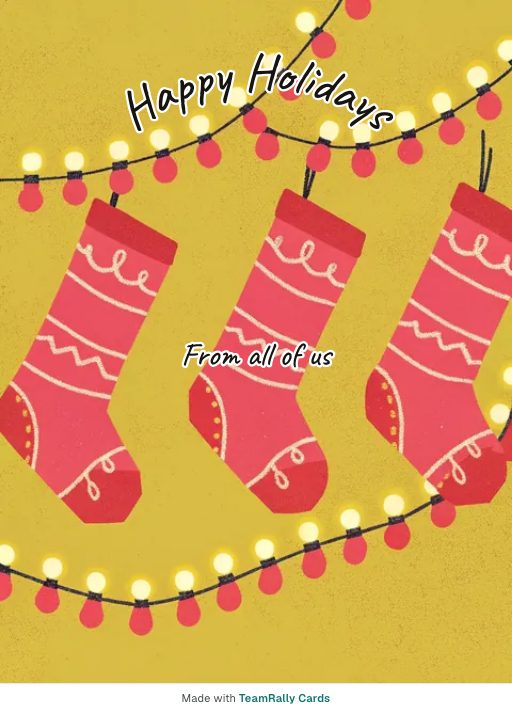 Stockings Send as a group card
 The Sleigh Send as a group card
 Wreath Send as a group card
 Plum Blossom Send as a group card
 Fireworks Night Send as a group card
 String Lights Send as a group card
Cards for a particular day
Each opens with the greeting already written. Change it to anything you like.
 Carnival Send as a group card
 Christmas Send as a group card
 Chuseok Send as a group card
 Diwali Send as a group card
 Easter Send as a group card
 Eid Send as a group card
 Eid al-Adha Send as a group card
 Halloween Send as a group card
 Hanukkah Send as a group card
 Holi Send as a group card
 King’s Day Send as a group card
 Lunar New Year Send as a group card
 Mid-Autumn Festival Send as a group card
 New Year Send as a group card
 Nowruz Send as a group card
 Onam Send as a group card
 Pongal Send as a group card
 Ramadan Send as a group card
 Rosh Hashanah Send as a group card
 Thanksgiving Send as a group card
 Three Kings’ Day Send as a group card
How it works
- 1
Pick a design and write the first message
No account needed to start — you compose first and only give an email when you save the card.
- 2
Invite the team by email
Everyone gets their own private invite link. Nothing to forward around Slack, and you can see who has signed.
- 3
It delivers itself on the day
Sealed until the delivery date, then it opens in the timezone you set for them — not yours.
What to write
- Happy holidays! Hope you get a proper break.
- Wishing you a restful end to the year — you've earned it.
- Season’s greetings. Thanks for everything this year.
- Happy holidays from all of us. Enjoy the time off.
- Have a lovely break. See you on the other side.
Keep it non-specific about which holiday
A work card goes to people who mark the season differently or not at all. "Happy holidays" and "enjoy the break" include everyone; assuming the holiday does not.
Send it before people leave
Schedule it for the last working week, not the 24th, when it will sit unread in a closed inbox until January.
One card per team beats one per person
Thirty individual cards is a chore that gets abandoned halfway. One card with thirty signatures is the thing people screenshot.
More message examples: Corporate eCards: what they cost and how to send them free
Why teams use TeamRally Cards
- Free to make, sign and send. Invite up to 100 people, with no per-signer fee, premium designs or charge to deliver. A copy to keep — a PDF to print, a vertical video to post — is an optional $12 extra afterwards.
- Personal email invites. Every signer gets their own link, so there is no shared URL for the recipient to stumble across.
- Sealed until the day. The recipient's link refuses to open before delivery, so a leaked link doesn't spoil the surprise.
- No accounts for signers. They click their invite and write. No sign-up, no password, no app.
See how that compares with Kudoboard, GroupGreeting and Ellacard.
Questions
- What do you write in a work holiday card?
- Keep it warm, brief and non-denominational — thank them for the year, wish them a real break. Avoid assuming which holiday someone celebrates.
- Can I send one holiday card to the whole team?
- Yes. Choose “Send it to a list” when you make it, write one message, and up to 25 people each get their own copy at their own email with their name on it. If you want everyone’s messages on it instead, make one card for the team lead and invite the team to sign. Both are free.
- Will it arrive at the right time across timezones?
- Yes. Delivery is scheduled in the recipient’s timezone, so a colleague in Sydney is not woken at 3am by a card from Lisbon.